
Revenue
Daily revenue and revenue by category for any date range, plus a By Department view built from the departments on your revenue accounts — the same split the dashboard widget shows.
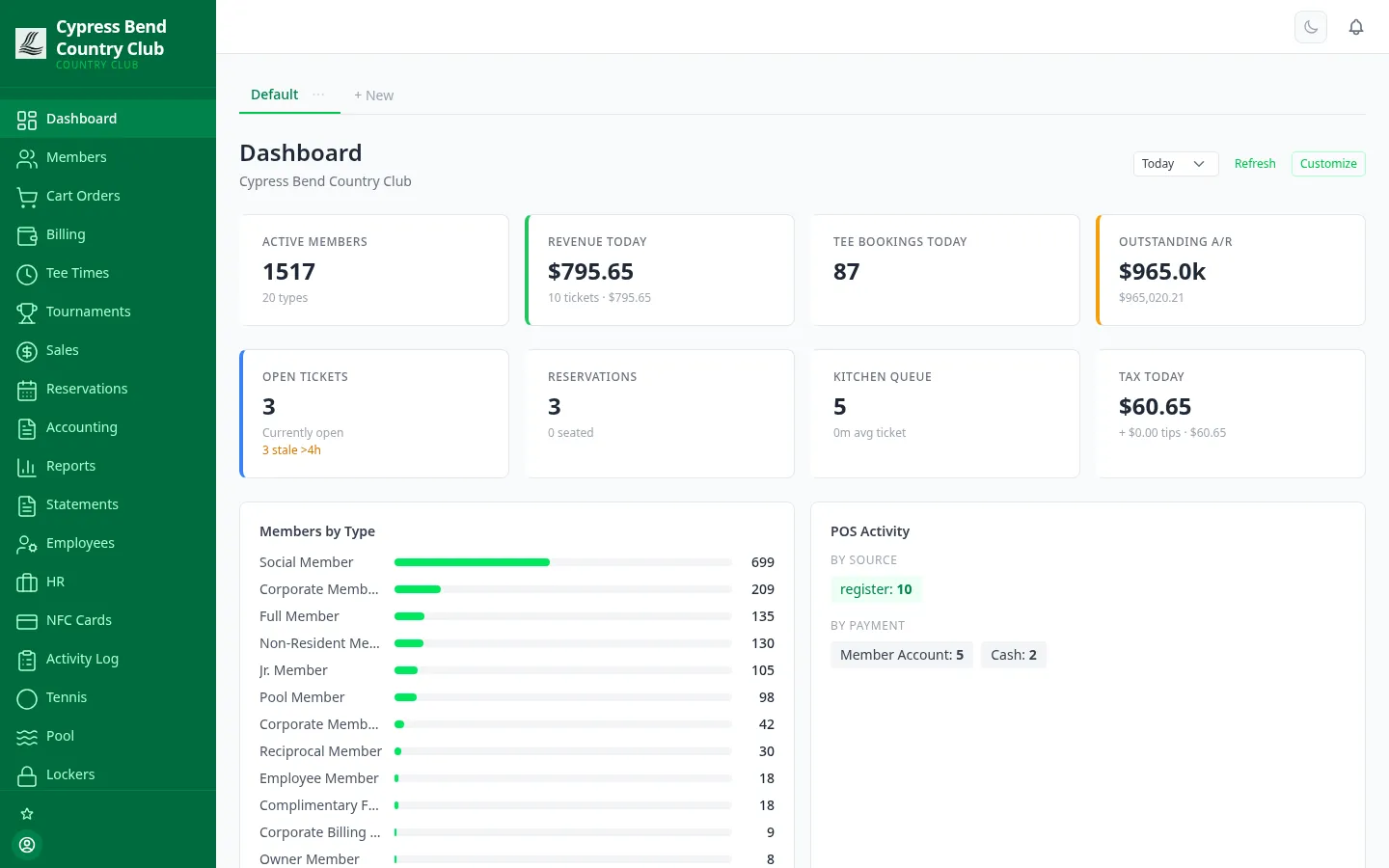
Because the tee sheet, the registers, the carts, the kitchen and the books run on one system, the numbers meet on one dashboard — active members, today’s revenue, tee bookings, outstanding A/R, open tickets, reservations and the kitchen queue, live from the first coffee of the day.
Legacy club systems make you pull a file to answer a question. ClubCore’s Reports page answers it on screen — Dashboard, Revenue, By Department, Aged A/R, Tee Times, Golf Month-End, Shifts, Tips and Activity, each a tab away, each filtered by date range where it matters, with a Print button for the board packet.
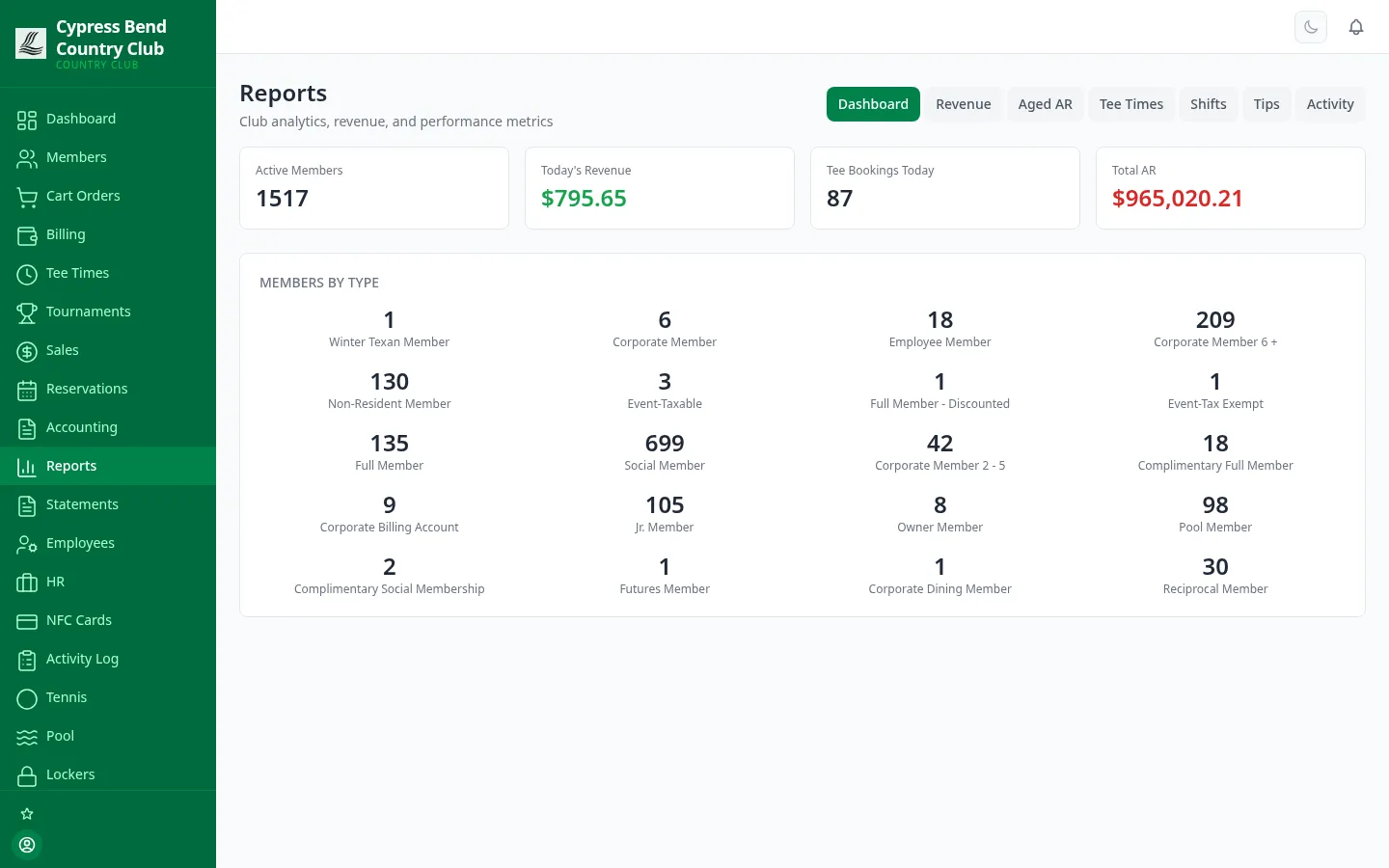
The numbers you see are the numbers on the books. Reports read the same ledger the registers and statements write to — there is no overnight sync to wait for and no second system to reconcile.
Daily revenue and revenue by category for any date range, plus a By Department view built from the departments on your revenue accounts — the same split the dashboard widget shows.
Member-level receivables aging: how much each member owes, bucketed by how long it has been outstanding, with drill-down to the individual account.
Daily utilization of tee-time slots and bookings by hour — plus a Golf Month-End report: rounds, member versus guest, no-shows, carts, tournament and reciprocal rounds, by course, day and time of day, with CSV export.
Per-shift register summaries for cash-out and handover, plus per-server tip totals for a date range — the report managers pull for payroll.
Daily beverage-cart order history per cart with CSV export, and end-of-shift inventory reconciliation — expected versus actual, waste included.
Ticket throughput and average ticket time from the kitchen display, so you know how the line actually ran — not how it felt.
Results and scoring reports straight from the tournament engine — the same live leaderboard the field watched, kept for the record.
Hours worked by employee and department, overtime past 40 hours in each workweek, and labor cost — with salaried staff costed at their prorated salary, not their clocked hours.
A row-and-column report builder over the posted general ledger: lay out custom P&L and balance-sheet formats, mix actuals with budget columns and computed rows, and every rendered statement ties out to the same books — exported as PDF, Excel or CSV when it needs to leave.
ClubCore doesn’t hold your data hostage behind a proprietary report writer. The files your bookkeeper, payroll provider and auditor actually ask for download in the formats they already use — including journal exports built for QuickBooks Desktop and QuickBooks Online.
And every download is itself recorded in an export log on the Accounting Exports tab — so you can always see who pulled what, and when.
The Activity Log records what staff did — to members, employees, tickets, time off, shifts, tee times, billing and reservations — and its entries can never be edited or deleted. When a timesheet is disputed or a board member asks why a charge was voided, the answer is a filter away, not an argument.
Filter by date range, action type or record type, or search the descriptions — then hand the auditor a CSV of exactly that slice.
Voiding a posted accounting entry never erases history — ClubCore posts a balancing reversal, and both the void and the reversal land on the trail.
Beyond the central log: stock movements track every receipt, adjustment, sale and transfer; bills, checks and journal entries carry full audit trails; e-signatures log every signing event.
Original clock-in entries survive manager edits, so timesheet disagreements end with the record. The same trail traces the sequence of events behind any operational hiccup.
We'll hand you a personal sandbox seeded with a full club — menu, members and three years of books — then walk your team through it.
Prefer email? [email protected] · ClubCore by Atlas Core Technologies, New Braunfels, Texas