
Bump by item, not by ticket
A cook marks each item done as it comes off — not the whole ticket at once. Bumped something by mistake? Recall pulls it straight back onto the queue. Touch, a keyboard or a bump-bar joystick all work.
A display at every station on the line — Expo, Grill, Fryer, Bar. Orders arrive the second they’re rung, from any register in the clubhouse or any cart on the course, each led by the short daily ticket number staff call across the pass — and cooks work them item by item.
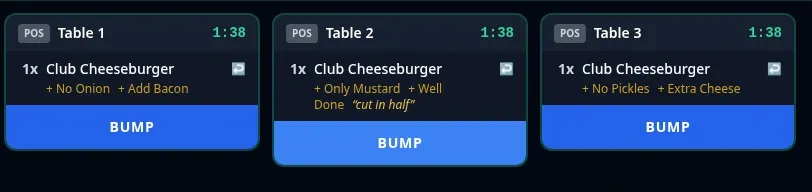
Same dish, three tables, three different modifier sets — each on its own timer.
Every order source feeds the same kitchen — the register at the grill room, a server’s tablet on the patio, and a member on the 7th hole all land on the line the same way. Items route to the station that cooks them; nothing gets re-keyed and nothing gets walked back.
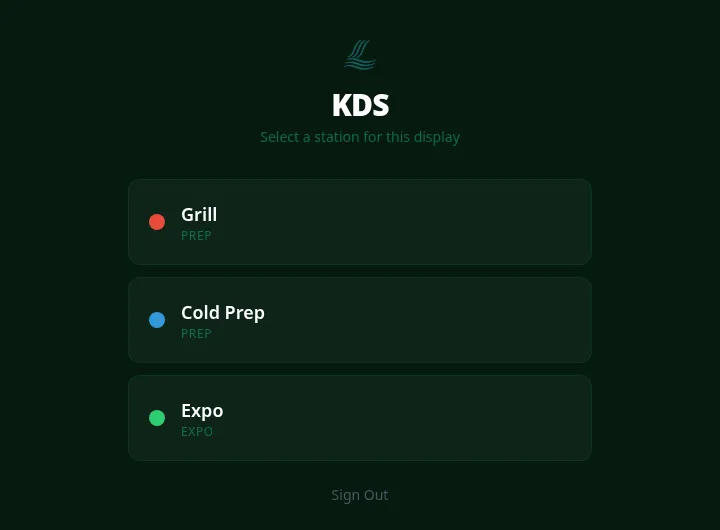
Each display signs in and picks the station it’s standing at — grill, fryer, cold prep, bar, expo, however your kitchen is actually laid out. From then on it shows only that station’s queue, in order, with modifiers spelled out on every item. Prep stations see their own work; the expo screen sees everyone’s.
An order placed from a golf cart on the back nine routes to the kitchen automatically and shows up on the station display like it was rung at the register — cart and hole attached, modifiers intact. See On-Course & Cart for how orders get off the course, or the cart ordering guide for the staff-side workflow.
Tickets aren’t all-or-nothing. Items come off the line one at a time, expo assembles, and the whole kitchen needs to know the moment something runs out.
A cook marks each item done as it comes off — not the whole ticket at once. Bumped something by mistake? Recall pulls it straight back onto the queue. Touch, a keyboard or a bump-bar joystick all work.
The expo station shows an aggregated view of every station at once, so the pass knows exactly which ticket is waiting on which item before anything sits under the lamp.
When the fryer 86es an item, it’s gone from every station display and every register at the same moment — and the update rides the club’s LoRa radio mesh out to every cart on the course. Or set a count-limited 86 — “12 more, then it’s gone” — and it shuts itself off at zero.
Every station’s header shows its open orders and what it finished in the last hour. The chef’s Kitchen page adds items per hour, average ticket time, the oldest open ticket and each station’s backlog at a glance.
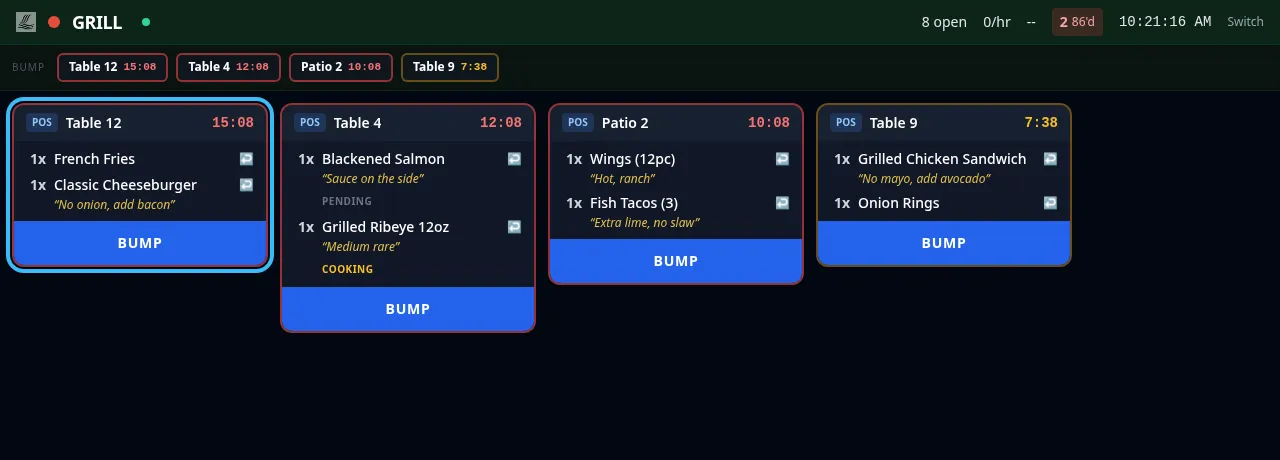
Four tickets working the grill — the per-item status and timers on each card are exactly what the POS shows the floor.
Every bump flows back to the front of house. A server opening a ticket on the POS sees each item’s live kitchen status — pending, cooking, ready, served — so “how long on table six?” gets answered from the tablet, not by leaning through the pass. And because timing is tracked per order, managers can see how the line performed across a service, not just how it felt.
The display is the source of truth and it updates itself — but a kitchen that runs on paper chits doesn’t have to give them up.
New orders, bumps and 86es are pushed to every station over a live connection the instant they happen. Nobody touches the screen to see what’s new, and nobody refreshes a page mid-rush.
Thermal chit printers register per prep station, with a template editor, live preview and test print — so the grill can keep spiking paper while the expo screen keeps the official queue.
The KDS isn’t bolted onto the POS — it’s the same platform. One menu, one 86 list, one member charged, one set of books. When the menu changes in the back office, the line sees it.
We'll hand you a personal sandbox seeded with a full club — menu, members and three years of books — then walk your team through it.
Prefer email? [email protected] · ClubCore by Atlas Core Technologies, New Braunfels, Texas