Your club is more than a golf course. So is ClubCore.
Courts, lanes, cabanas, camps and spa tables — the whole amenity side of the club runs in the same system as the tee sheet and the bar, and every charge it raises posts to the same member account.
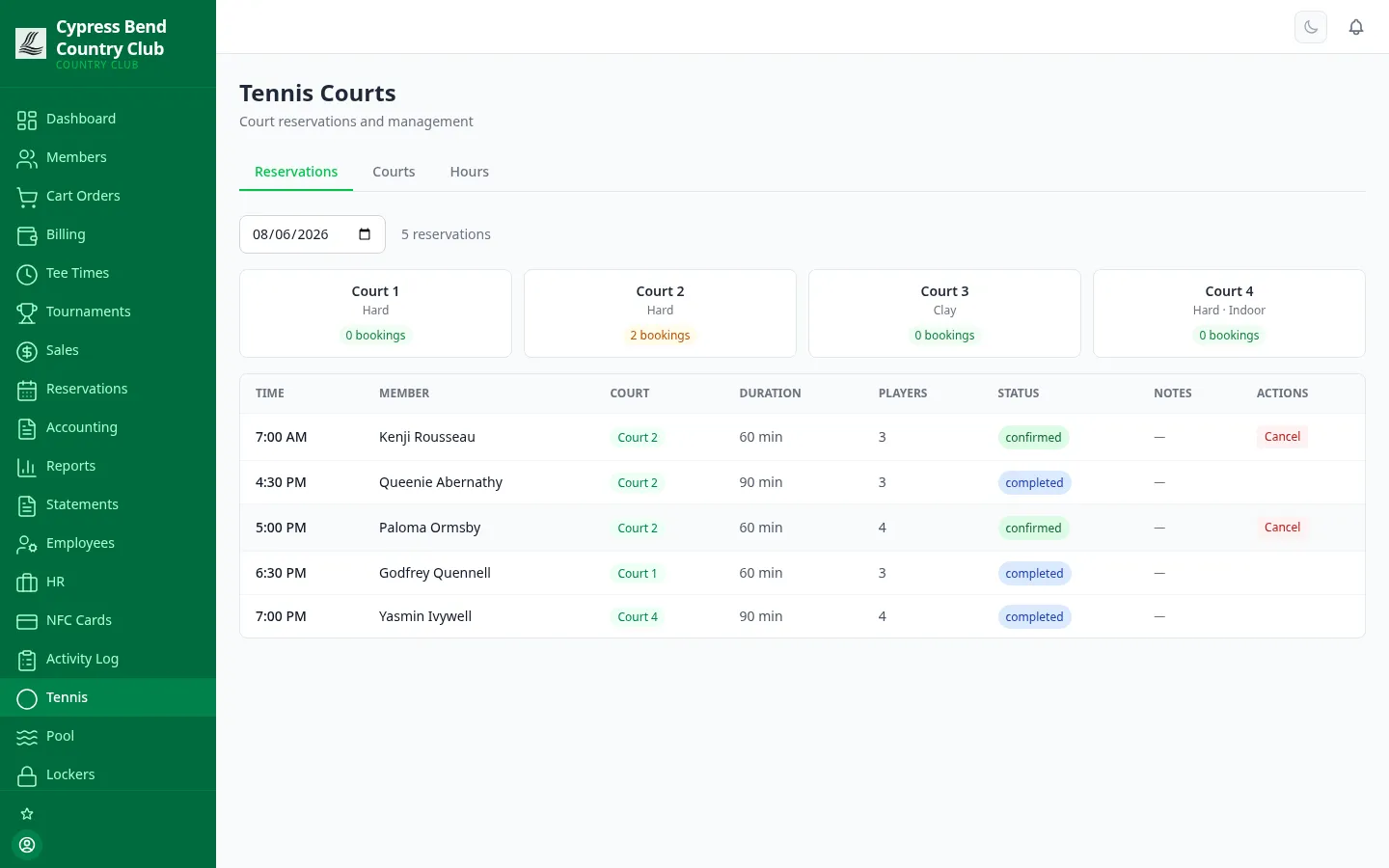
Court, lane and cabana reservations without the clipboard by the pro-shop phone. Members book from the portal; walk-ups and phone bookings go straight into the same grid at the desk.
Court booking
Date, duration, party size — done
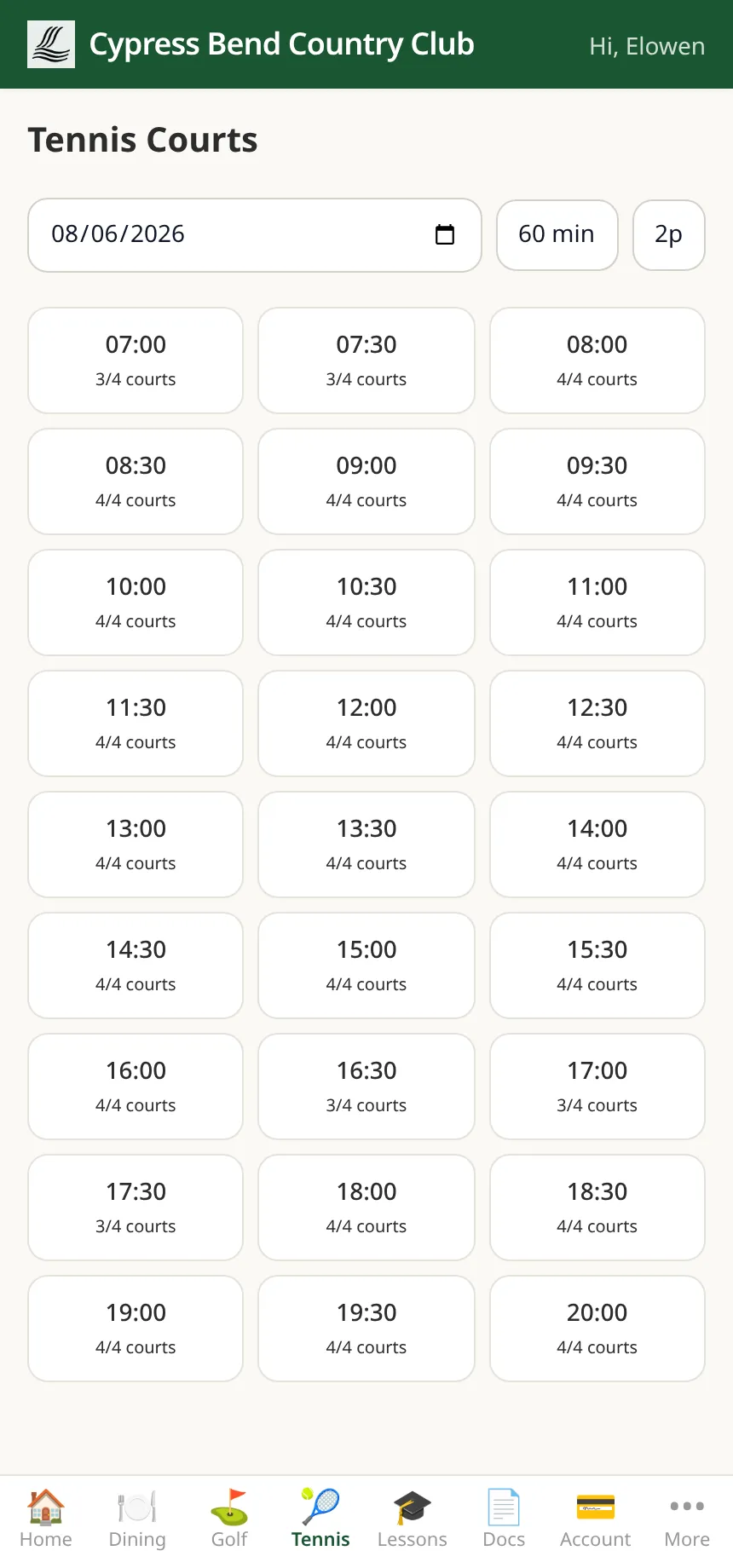
From the Tennis tab of the member portal, a member picks a date, a duration and a party size, then chooses from the open slots — each slot shows how many courts are still free, right down to “4/4 courts.” At the desk, staff see the same court inventory and daily availability grid, and enter walk-up bookings alongside the member-made ones.
Self-serve court booking in the member portal
One availability grid for staff and members alike
The pool too: members reserve lanes and cabanas from the portal’s Pool screen, and see or cancel their bookings there
Pool areas, hours and guest visits for staff — with live occupancy from NFC gate taps, and privileges that follow the membership type
Programs & pros
From swim camp to spa table
Each program is a real module with its own workflow — not a shared calendar with color-coded blocks.
Fitness classes
Build a class once — instructor, capacity, price — and bulk-generate the whole schedule over a date range. Staff register members onto a session and it stays capacity-aware (full sessions waitlist automatically; members see their classes in the portal), check-in records attendance, and one Charge action bills everyone on the roster who hasn’t been billed yet.
Kids & juniors
Junior records link to the family’s member account, each with a date of birth for age-gated sessions and a maintained list of authorized pickup persons. Camps run as scheduled sessions with capacity and rosters — charging a session bills each junior’s family on their own account.
Spa & wellness
Providers carry a weekly working schedule and a commission rate; services carry a duration and price. Open slots are computed from the provider’s hours, members book themselves from the portal, and marking a booking Complete posts the service charge to their account.
Lessons & pro booking
Golf, tennis, swim or any discipline — instructors with availability windows, lesson types with duration and price, and prepaid packages that track remaining credits. Each booking is paid from the member account or a package credit, chosen right on the booking.
Guest passes & reciprocal play
Member-sponsored passes move through requested → approved → used, with an optional per-member monthly limit. The fee hits the sponsor’s account only when the pass is used — never billed for a pass that expires. A partner-club registry tracks reciprocal visits from pending to settled.
GHIN / USGA handicaps
Link a member to their GHIN number and sync their handicap index on demand. Post rounds — adjusted gross, rating, slope, date — and get back the computed differential and the golfer’s updated index, without leaving the platform. Runs in a clearly marked simulated mode until the club’s GHIN credentials are connected.
Paying the pros, without a spreadsheet
Per-provider commission rate on every spa service
Per-instructor commission rate on every lesson
Date-range commission & revenue report: what you owe each pro
app.clubcorehq.com/lockers
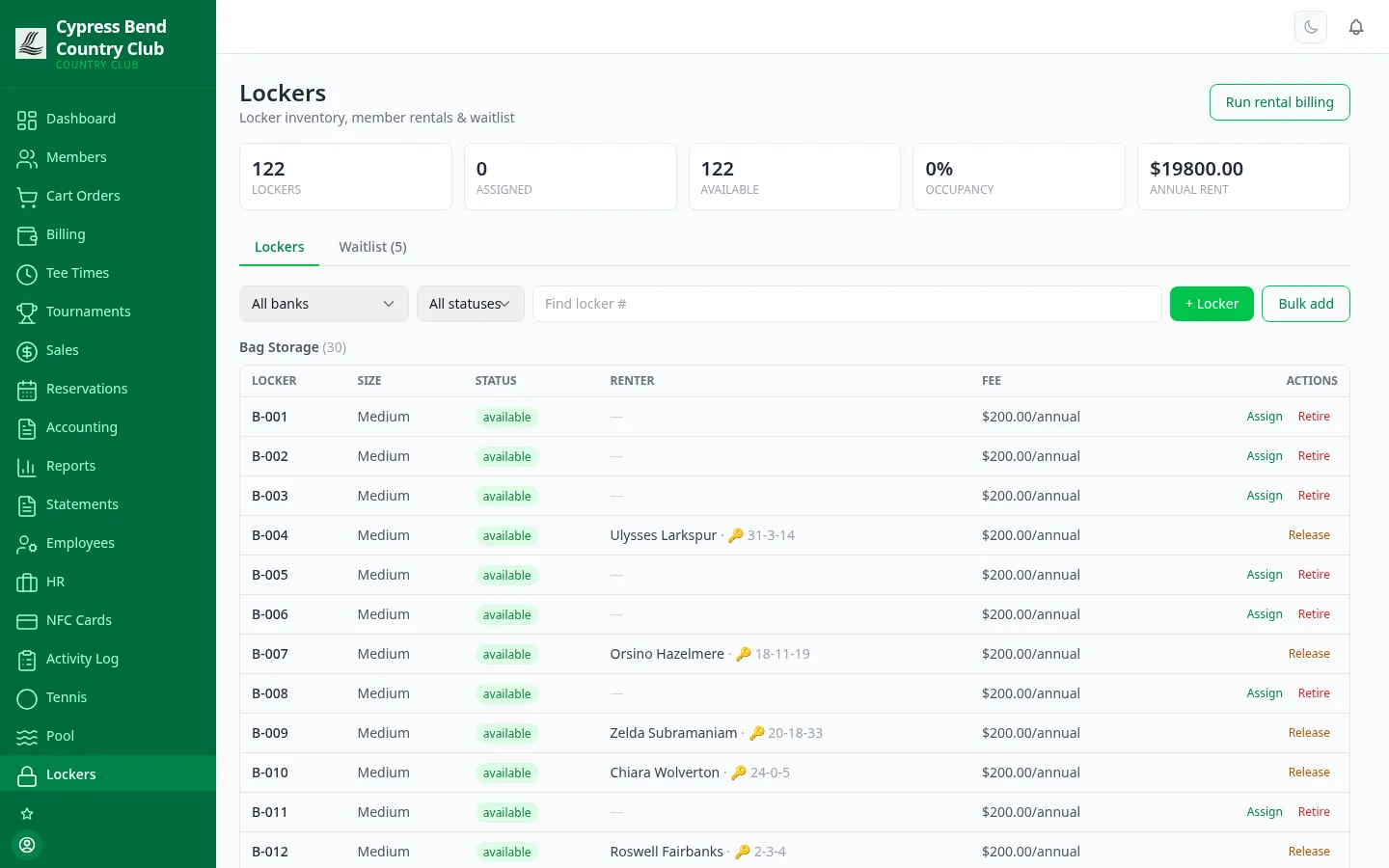
Locker assignment and rental management
Lockers · coming soon
Every locker, every holder, every fee
Built, not yet switched on for clubs — it has no Features toggle yet
The full locker room as data: bank, row and number, who holds each locker, the rental terms, and what’s free right now. Create a whole bank in one step, then assign, release and transfer from the same screen.
A waitlist that clears itself. Members waiting for a size or location are tracked — assign one a locker and their matching entry clears automatically.
One-click billing run. Post the rental fee for every active assignment for the period in one step — re-running the same period skips anyone already billed, so it’s safe to run twice.
Or set it and forget it. Locker fees can also ride the recurring-charges engine and post each billing cycle with dues.
Gift cards
Issue, redeem against the balance (partial redemptions are fine), or void — with full transaction history per card.
Member directory
Strictly opt-in. Only members who choose to appear are listed, and each manages their own entry from the portal.
Surveys & feedback
Build a survey, collect responses, view aggregated results — plus a member suggestion box staff triage with status updates.
Why it’s one system
Every amenity charge lands on the same books
A camp fee, a massage, a lesson, a pro-shop order and a guest fee all post to the member’s account and flow to the general ledger through accounts receivable — the same path a bar tab takes. No amenity side-system, no month-end re-keying.
Posted where it happened
Charging a fitness session bills its roster; completing a spa booking posts the service; a guest pass bills the sponsor when it’s used. The charge is raised inside the workflow — not batched in later.
One statement per member
The family’s camp fees, dad’s lessons and the guest he brought all appear on the household’s member statement — and members see the same balance and transactions in the portal.
Your chart of accounts, respected
Amenity revenue lands in standard USFRC revenue accounts by default — and per-category overrides — set up for you by ClubCore support — route, say, camp charges to their own revenue account.