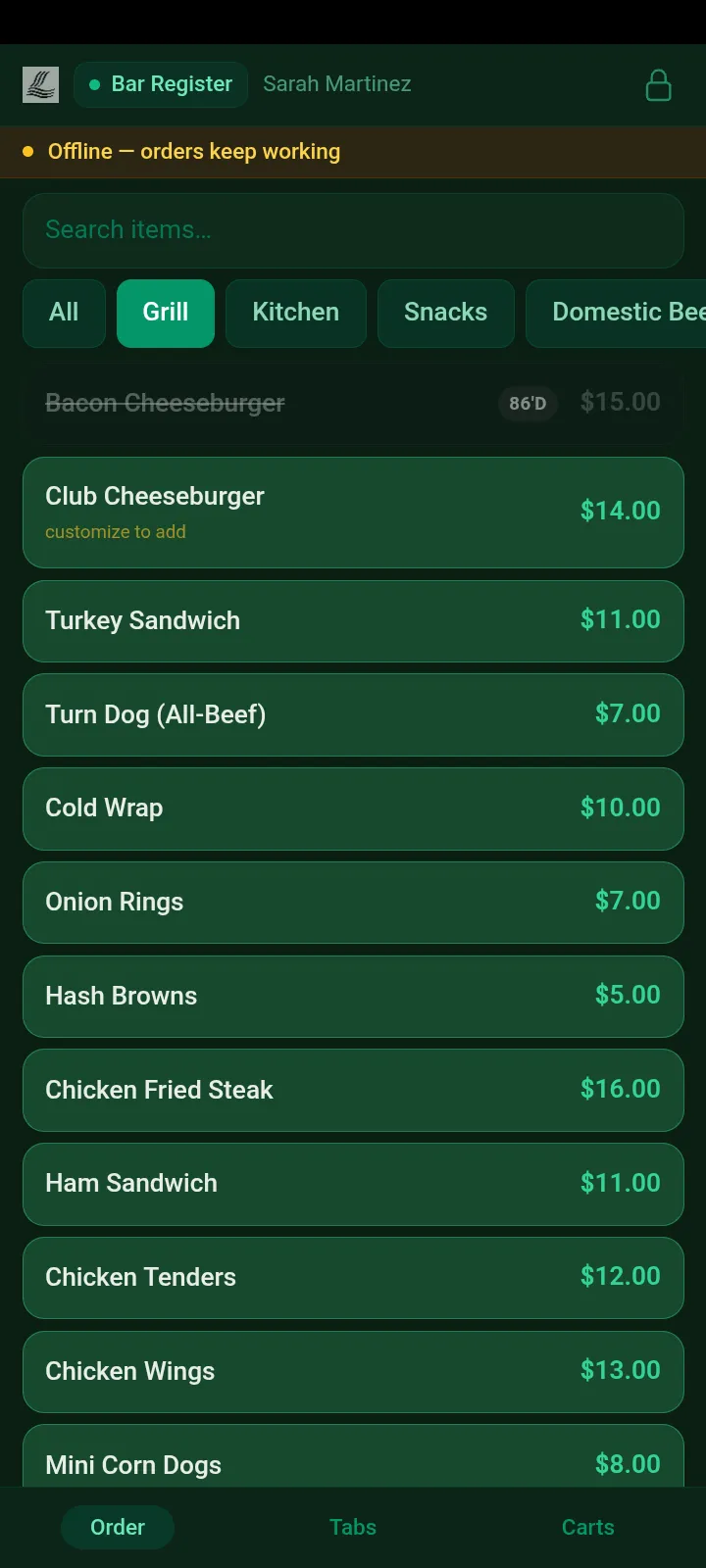
The handheld register is a portrait app built for Android phones — not the desktop screen squeezed smaller. PIN or badge in, ring the sale, charge the member, fire the kitchen — poolside, on the patio, or halfway down the cart path. Tablets at fixed stations run the full landscape register from the same platform.
Order, Tabs and Carts sit on a bottom bar under the thumb; the sale rides in a sheet that slides over the menu. It’s the same catalog, the same members and the same books as every register inside — arranged for a phone instead of shrunk onto one.
PIN or badge, signed in by the pool
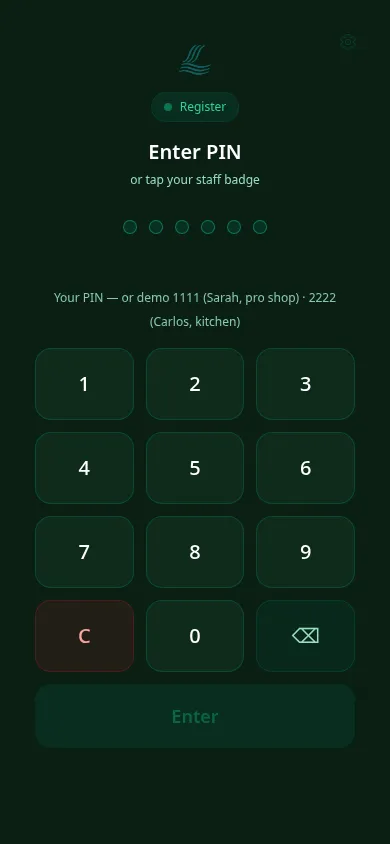
A 4–6 digit PIN — or a staff badge tapped on the phone’s NFC — signs a server in anywhere; admin, manager and accounting badges also ask for the PIN. Shared devices swap hands between staff without anyone digging for a password.
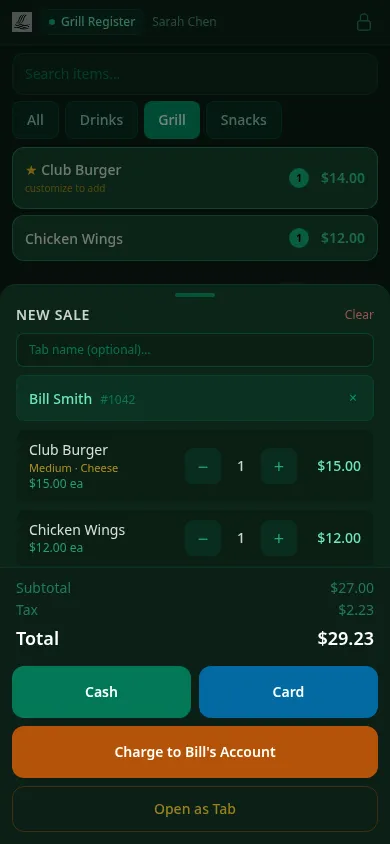
The whole sale, including the member
Type a few letters, attach the member, and “Charge to their account” appears next to Cash and Card — the same tenders and tip step as the fixed registers, on a phone.
Doneness that can’t be skipped
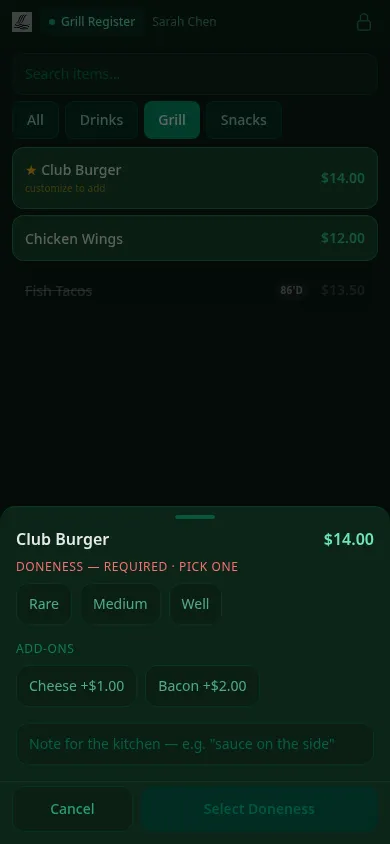
Items that need a temperature or a required choice open the modifier sheet and won’t add until it’s picked — “how did you want that burger?” gets asked at the table, not by the cook.
Tabs that follow the shift
Open a sale as a tab, hand the phone off, and resume it later — from the same device or the register inside. Every open tab is one tap away in the Tabs view.
The cart queue, in hand
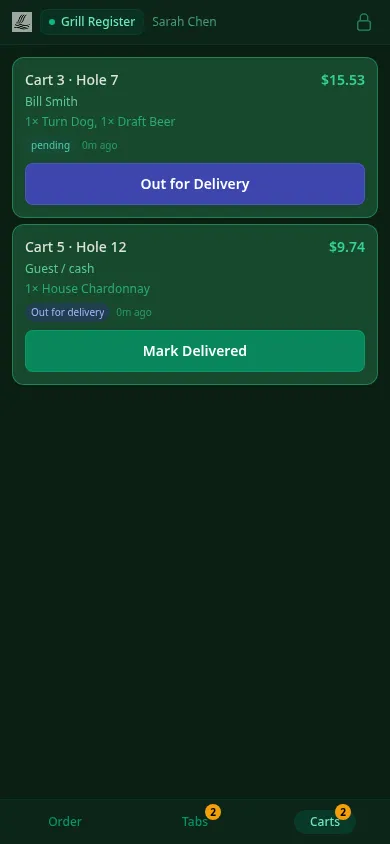
Orders placed from carts on the course show up in the Carts view with the hole they’re headed to — mark them out for delivery and delivered in two taps as the runner works.
Fires to the kitchen instantly
Every item added is on the kitchen display before the server has left the table — same order pipeline, same “86” sync, same books as every other register in the club.
PIN or staff-badge tap to sign in
Required doneness, asked at the table
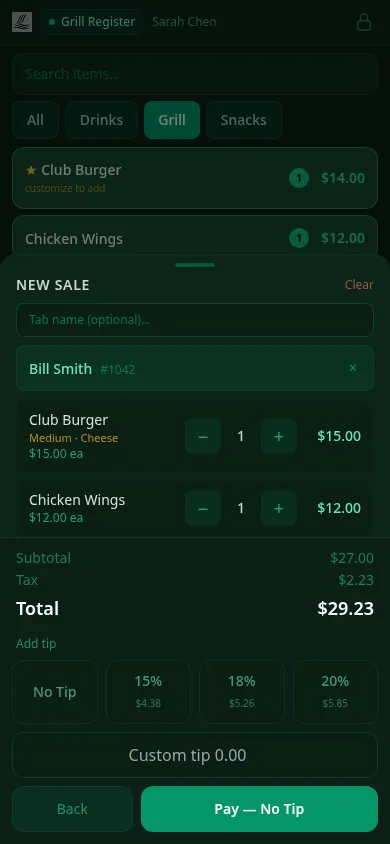
The tip step, before the tender
Offline-first
Wifi ends at the patio. The register doesn’t.
Club wifi has edges — the far end of the range, the event lawn, the turn. A handheld that throws a spinner at the edge of coverage is a register your staff stops trusting. This one is built the other way around.
Keeps selling without signal
The app shell, the menu and a slim member roster are cached on the device — a server who walks off the patio and out of wifi range keeps ringing items, attaching members and closing sales.
Syncs itself, exactly once
Offline actions land in a durable outbox on the device and replay when the connection returns. Every write carries a client reference the server deduplicates on — a flaky reconnect can’t double-ring a burger or post a charge twice.
Honest about card payments
Cash, charge-to-account and open-as-tab all work offline. Card tenders are deliberately never queued offline — a payment that needs a live connection says so up front, and the banner clears itself the moment you’re back.
Captured on the phone, mid-outage — the banner says it plainly
NFC on the handheld
The phone is the badge reader
Staff badges are NFC cards, and most Android phones already have the radio to read them — so a badge tap on the back of the phone signs a server in, the same tap that works on the wedge readers at fixed registers.
Built-in NFC, today
On phones with an NFC radio, the ClubCore Android app reads the badge directly — tap the back of the phone and you’re signed in. No accessory to buy or lose.
PIN as the fallback, always
Every handheld also takes a 4–6 digit PIN, so a phone without NFC — or a server without their badge — is never locked out of a shift.
Attachable readers, by design
The tap layer is a pluggable contract, not a hardcoded radio — attachable USB-C readers are on the roadmap and will slot into the same app when they land. Member charging on the handheld is by name search today.
The Carts view — hole number, order and two-tap delivery
The runner’s half of on-course ordering
When a member orders from a cart on the course, that order needs to reach a human with a bag of food. The handheld’s Carts view is that human’s screen: each order shows the hole it’s bound for, flips to out for delivery when the runner leaves, and delivered when it’s handed over — so the clubhouse always knows what’s still in flight.
Want the operator’s walkthrough of registers, tickets and shift close? It’s in the Point of Sale guide.
See it live in 15 minutes.
We'll hand you a personal sandbox seeded with a full club — menu, members and three years of books — then walk your team through it.